Checking scheduled task runs against your maintenance timetable
Get all task runs of a task scheduled until a given date and check whether some of those runs fall in the system maintenance window.Before you begin
- Generate an access token:
- For users, generate a personal access token. For further information, see Generating a Personal Access Token.
- For service accounts, generate a service account token. For further information about how to generate a service account token, see Generating a service account token. Once generated, a service account token expires after 30 minutes. If it expires, generate a new token using the POST method at the endpoint
https://api.{env}.cloud.talend.com/security/oauth/token.
- Ensure that the user or the service account to be used to issue API calls has the
TMC_OPERATORrole and theREADpermission for the workspace to which the task to be verified belongs.
Procedure
Issue the following request to get the scheduled task runs of a given envrionment.
method: POST
endpoint: https://api.<env>.cloud.talend.com/orchestration/executables/events/search
headers: {
      "Content-Type": "application/json",
      "Authorization": "Bearer <your_personal_access_token_or_service_account_token>"
          }
payload: {
       "environmentId": "id_of_the_environment", #for example, 6242bc6eac74e9757cda41bb
       "to":"1672531199000"
          }
The
tofield defines the end date time in milliseconds till which the task runs are scheduled to start.In Talend Cloud Management Console, select the environment from the environment list on the Environment page. The ID of this environment appears in the URL of the current page.
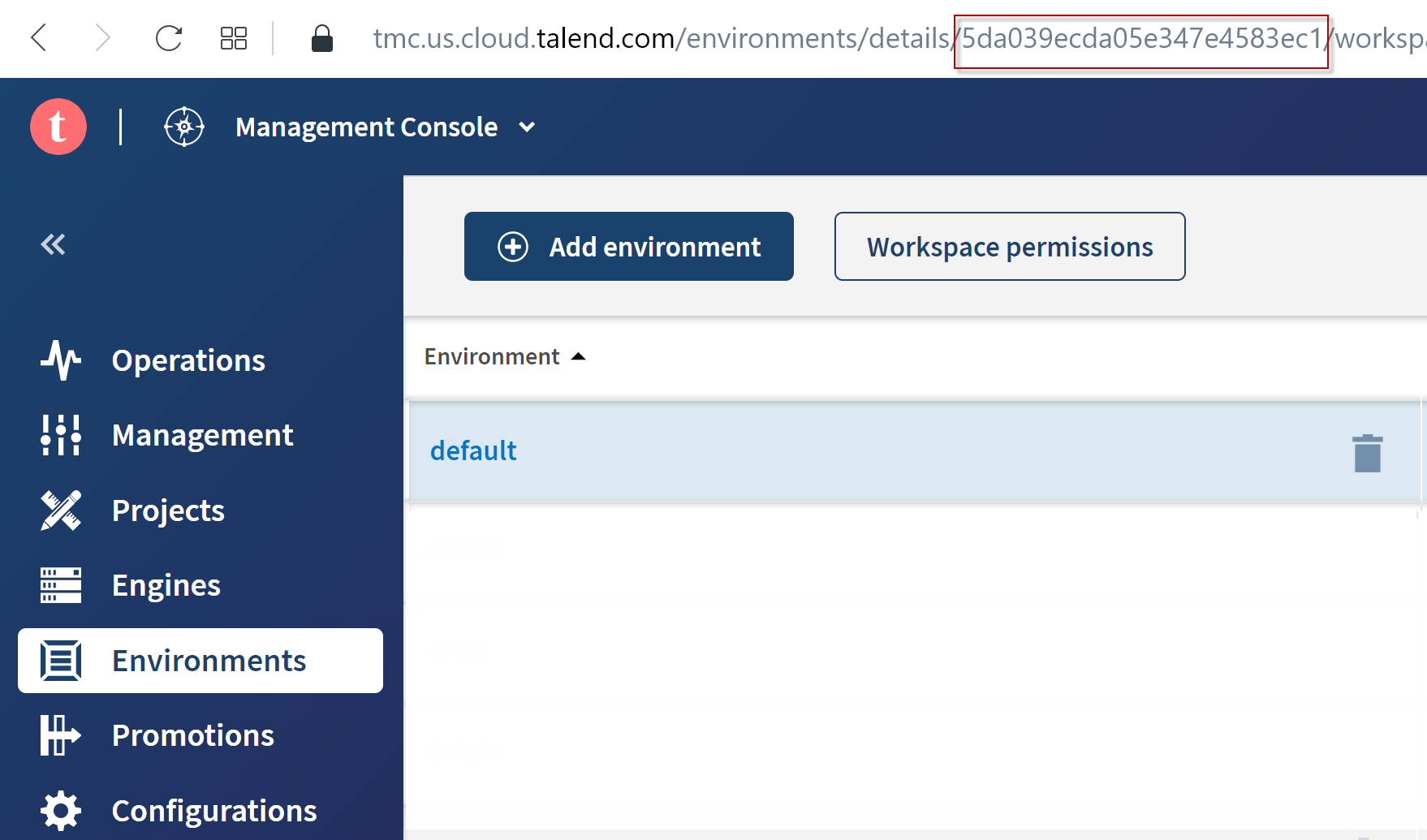
API: issue the following API call:
method: GET
endpoint: https://api.<env>.cloud.talend.com/orchestration/workspaces
headers: {
     "Content-Type": "application/json",
     "Authorization": "Bearer <your_personal_or_service_account_access_token>"
          }
In the response, the IDs of the environments are returned in the
environmentIdfield in each workspace block.
Results
A list of scheduled runs are returned with the ID of the task to be started and their start times. The following snippet is an example of this list for a task:
{
    "items": [
        {
            "id": "61323d2498d04f63ee697541",
            "date": "2022-07-20T18:00:00.000Z",
            "type": "TASK"
        },
        {
            "id": "61323d2498d04f63ee697541",
            "date": "2022-08-20T18:00:00.000Z",
            "type": "TASK"
        },
        {
            "id": "61323d2498d04f63ee697541",
            "date": "2022-09-20T18:00:00.000Z",
            "type": "TASK"
        },
        {
            "id": "61323d2498d04f63ee697541",
            "date": "2022-10-20T18:00:00.000Z",
            "type": "TASK"
        },
        {
            "id": "61323d2498d04f63ee697541",
            "date": "2022-11-20T19:00:00.000Z",
            "type": "TASK"
        },
        {
            "id": "61323d2498d04f63ee697541",
            "date": "2022-12-20T19:00:00.000Z",
            "type": "TASK"
        }
    ],
    "limit": 100,
    "offset": 0,
    "total": 6
}
Identify the runs to be started during the maintenance period and pause them when that period starts.
info
This pause takes effect immediately.